Pad controllers — hardware devices with rubber or silicone pads that trigger sounds, samples, or MIDI notes when you hit them — sit at the center of almost every modern beatmaking setup. Whether you’re tapping out a hi-hat pattern, finger-drumming a melodic line, or launching clips in a live set, the controller you choose shapes how that work actually feels day to day. The question isn’t just which one has better pads, though that matters enormously. It’s which one slots cleanly into the software and hardware you already own — or plan to own.
This piece focuses on three controllers that come up constantly in the same conversation: the Native Instruments Maschine Mikro Mk3, the Akai MPD218, and the Akai LPD8 Mk2. They occupy overlapping price territory and similar surface-level feature sets, but they serve genuinely different workflows. If you have a buying decision pending, here is the framework to make the right call.
The Core Tradeoff in Three Sentences
The Maschine Mikro Mk3 gives you the best pads in this price tier and a deeply integrated production environment — but it requires you to work inside Native Instruments’ Maschine software, at least partly. The Akai MPD218 is a capable, versatile MIDI controller that plays well with any DAW and adds knobs and faders the others lack. The Akai LPD8 Mk2 is a compact, cross-platform workhorse that reviewers and product listings consistently describe as the most portable and device-agnostic option of the three.
None of these is universally “better.” Each is the right answer to a specific question.
Head-to-Head: Three Controllers, Three Distinct Use Cases
Maschine Mikro Mk3 — The Pads Are the Point
The Mikro Mk3 is the smallest form-factor entry into Native Instruments’ Maschine ecosystem: a grid of 16 backlit pads, a small display, and a set of transport and navigation controls. What it omits compared to the full Maschine Mk3 are the large color display, per-channel screens, and the full complement of performance knobs. The tradeoff is a lower price and a smaller footprint.
Community and editorial consensus here is unusually consistent. MusicRadar’s “Best MIDI Pad Controllers” buying guide and Sound On Sound’s review of the Native Instruments Maschine Mikro Mk3 both surface the same theme: the pads are genuinely exceptional for this price tier. Velocity-sensitive, pressure-responsive, and sized well for finger drumming, they perform closer to the full Maschine Mk3 than to any budget alternative. Long-form owner accounts consistently challenge readers to name better pads at a comparable price — a challenge that, across aggregated reviews, generates few convincing counterexamples.
The software dependency is the hinge point. The Mikro Mk3 ships with Maschine software and unlocks a suite of Native Instruments instruments and effects. Producers coming from a DAW-first background often describe an initial adjustment period when they realize the device is most powerful when Maschine is the center of the session, not just a plugin window. The follow-on is equally consistent: once that workflow is accepted and learned, owners describe it as creatively productive in ways that generic MIDI controllers are not.
The NKS (Native Kontrol Standard) multiplier effect is real and documented. Sweetwater’s product overview for the Native Instruments Maschine Mikro Mk3 explicitly calls out NKS compatibility as a core differentiator. Owners who use NKS-compatible instruments — Arturia Pigments being a frequently cited example — report that the Mikro Mk3 takes on additional value beyond drum programming: parameter control, preset browsing, and deep integration that a generic pad controller cannot replicate.

Native
$489.00
In stock on Amazon
Check price on AmazonAkai MPD218 — The Generalist’s Controller
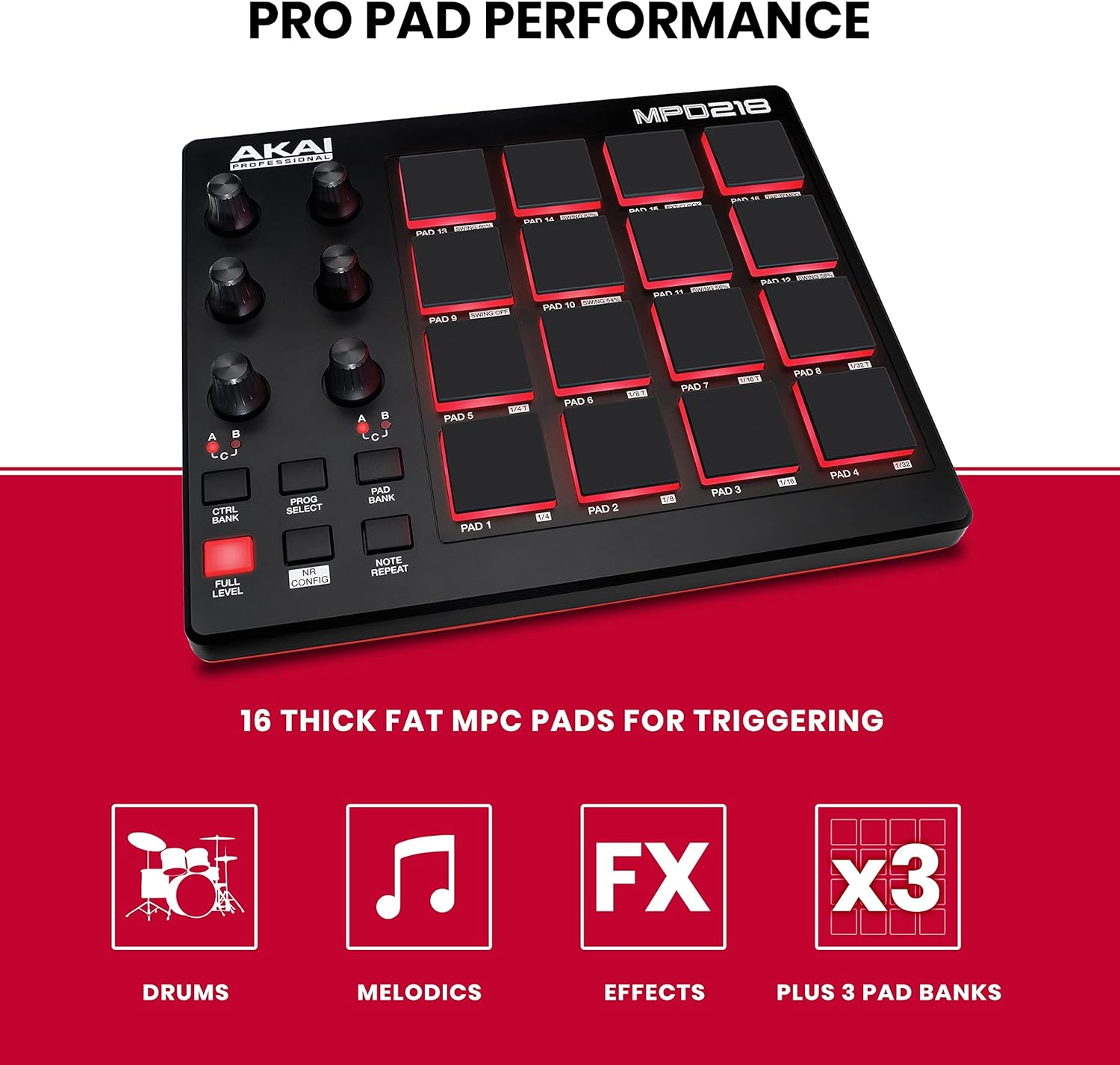
The MPD218 sits at a different point in the Akai lineup than the LPD8: it is larger, adds 6 assignable knobs and 4 faders, and organizes its 16 pads into bank-switchable configurations that let you control far more than percussion. It is a MIDI controller first, meaning it sends standard MIDI signals to whatever software or hardware you connect it to.
Where the MPD218 earns its place is in hybrid setups where you want pad triggering, knob control, and fader assignments all in one device, without committing to any particular software ecosystem. MusicRadar’s “Best MIDI Pad Controllers” buying guide notes the MPD218’s broad compatibility as a practical selling point for producers who move between Ableton Live, Logic Pro, and standalone hardware. That flexibility is the product’s primary argument.
The absence of a tightly integrated software environment is also the MPD218’s limitation: you get excellent adaptability but none of the deep-integration benefits that Maschine users describe. If you are building a setup around a DAW you already know well and want hardware that adapts to it rather than the other way around, the MPD218 is designed for exactly that posture. Producers who have documented setting up the MPD218 across multiple DAWs consistently report a straightforward experience once MIDI assignments are configured in the bundled MPC Beats editor or mapped directly in the DAW.
Akai
$115.85
In stock on Amazon
Check price on AmazonAkai LPD8 Mk2 — The Cross-Platform Surprise
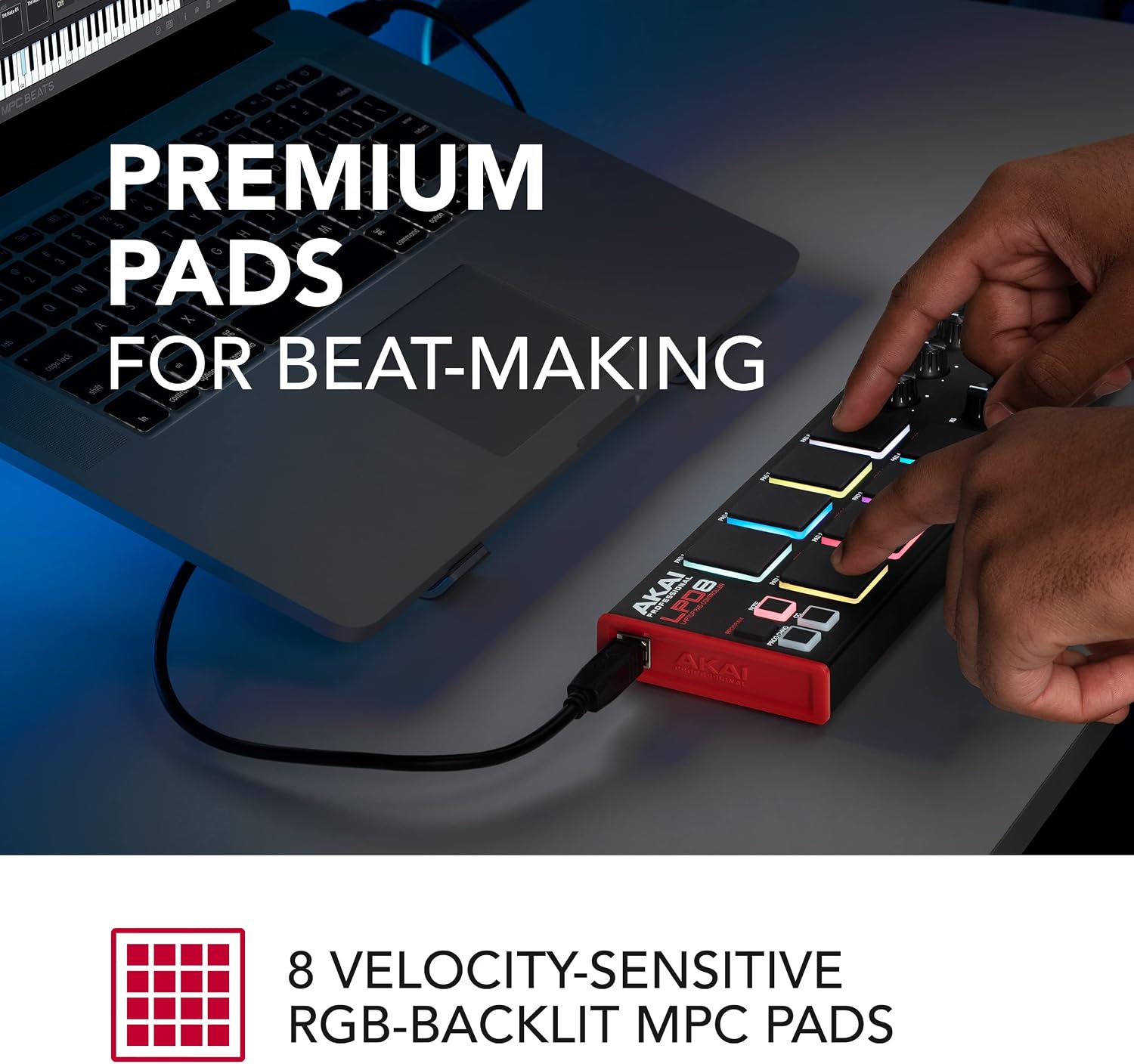
The LPD8 Mk2 is small — genuinely compact enough for a laptop bag side pocket — and built around 8 pressure-sensitive pads and 8 assignable knobs. It is powered over USB and designed to work with essentially anything that speaks MIDI.
The cross-platform story is where it separates from both competitors. Thomann’s product listing for the Akai LPD8 Mk2 positions it explicitly around portability and compatibility breadth rather than deep software integration, and owner accounts bear that positioning out: documented working configurations include Linux distributions, Android devices, and standalone hardware synthesizers and drum machines — a compatibility range that neither the MPD218 nor the Maschine Mikro Mk3 matches as easily.
There is one well-documented setup trap worth naming explicitly, because it recurs enough in owner accounts to be worth preventive warning. If you install MPC Beats software and use its auto-setup function, the wizard is configured to target the wireless version of the LPD8. Running that path against the wired LPD8 Mk2 produces a broken experience: assignments misfire and controls do not respond as expected. The correct path is to use the LPD8 Mk2 editor directly to assign controls, bypassing the auto-setup entirely. Once that step is completed, owners consistently report stable and flexible operation.
The pad feel on the LPD8 Mk2 does trail the Maschine Mikro Mk3 — that is the consensus across reviews, and it is the expected result given the size and price difference. For extended studio finger-drumming sessions, that gap is meaningful. For live use, quick sketching, or as a secondary controller in a hardware-first setup, most owners find the compromise acceptable.
Akai
$59.00
In stock on Amazon
Check price on AmazonBy the Numbers
| Feature | Maschine Mikro Mk3 | Akai MPD218 | Akai LPD8 Mk2 |
|---|---|---|---|
| Pad count | 16 <a class="product-link" href="https://www.amazon.com/dp/B075FNQ1RN?tag=greenflower20-20" rel="sponsored nofollow noopener" target="_blank" title="Affiliate link — we may earn a commission.">Native — $489.00</a> | 16 <a class="product-link" href="https://www.amazon.com/dp/B0116X17JW?tag=greenflower20-20" rel="sponsored nofollow noopener" target="_blank" title="Affiliate link — we may earn a commission.">Akai — $115.85</a> | 8 <a class="product-link" href="https://www.amazon.com/dp/B0BF9MN8R2?tag=greenflower20-20" rel="sponsored nofollow noopener" target="_blank" title="Affiliate link — we may earn a commission.">Akai — $59.00</a> |
| Additional controls | Navigation buttons | 6 knobs, 4 faders | 8 knobs |
| Software ecosystem | Maschine (deep integration) | MPC Beats (optional) | Editor only |
| Cross-platform compatibility | Windows / macOS | Windows / macOS | Windows / macOS / Linux / Android / hardware |
| Primary use case | Studio beatmaking, NKS workflow | DAW-agnostic production | Portable, hardware-compatible MIDI |
The Decision Rule
If the conversation is about pad feel and production depth, the Maschine Mikro Mk3 wins — but you have to accept the software relationship. Owners who are already invested in Maschine or NKS-compatible instruments consistently describe the value-stacking effect as real: each additional NKS instrument in your library increases the utility of the hardware. Sound On Sound’s review of the Native Instruments Maschine Mikro Mk3 addresses this directly, noting that the controller’s most capable features surface within the Maschine environment rather than as a standalone MIDI device.
If you want DAW flexibility and physical controls beyond pads — knobs, faders, bank switching — and you do not want to commit to a proprietary ecosystem, the MPD218 is the honest choice for a production-first workflow. It is the one that adapts to your DAW rather than asking your DAW to adapt to it.
If your use case is portability, hardware compatibility, or working outside a computer-centric DAW entirely — a Korg Volca chain, a modular setup, or Linux-based production — the LPD8 Mk2 is the one that actually solves the problem the others do not. Thomann’s positioning of the LPD8 Mk2 as a portable, broadly compatible device reflects exactly that use case.
The wrong move is choosing the Maschine Mikro Mk3 assuming it will slot transparently into Ableton or Logic as a generic pad controller, or choosing the LPD8 Mk2 and being surprised that the MPC Beats auto-setup route does not work without the editor step. Both of those disappointments are documented and preventable.
Frequently Asked Questions
Does the Maschine Mikro Mk3 work with Ableton Live? Yes — the Maschine Mikro Mk3 can function as a MIDI controller in Ableton Live, and Ableton includes a Maschine control script. However, as Sound On Sound’s review of the Native Instruments Maschine Mikro Mk3 notes, the controller’s best capabilities surface within the Maschine environment. Running it as a generic pad controller in Ableton works, but foregoes the deep integration and NKS browsing features that justify its price premium over simpler alternatives.
Can the Akai LPD8 Mk2 work without any software installation? Yes. The LPD8 Mk2 is class-compliant over USB, meaning it is recognized as a MIDI device by any DAW or hardware that accepts MIDI input without requiring driver installation. MPC Beats is entirely optional. As noted above, the MPC Beats auto-setup path is specifically problematic with the wired LPD8 Mk2 and is best avoided.
Why does MPC Beats auto-setup misfire on the LPD8 Mk2? MPC Beats’ auto-setup wizard targets the LPD8 wireless version. When run against the wired LPD8 Mk2, control assignments misfire because the software is looking for a device with a different profile. The solution is to use the standalone LPD8 Mk2 editor to map controls correctly, bypassing the auto-setup entirely.
Is the Maschine Mikro Mk3 worth buying if I already own Ableton Live and several third-party plugins? It depends on whether those plugins carry NKS compatibility and whether you are willing to run Maschine alongside Ableton. Sweetwater’s product overview for the Native Instruments Maschine Mikro Mk3 calls out NKS compatibility as a central feature: owners with NKS-compatible instruments in their library — Arturia Pigments is among the most commonly cited — consistently describe the combination as adding meaningful value beyond what a generic controller provides. If you are committed to an Ableton-only workflow with no interest in Maschine software, a more DAW-native controller may serve you better.
What does the full Maschine Mk3 add over the Mikro Mk3 for drum production specifically? The full Maschine Mk3 adds a large color display, per-channel screens, and a more complete set of performance controls. For drum production specifically, the pad quality is equivalent between the two models. The Mikro Mk3 trades the full display and additional controls for a smaller footprint and lower price. Producers who want on-controller reference for browsing and mixing tend to step up to the full Mk3; those who do most of that navigation on their computer monitor consistently find the Mikro Mk3 sufficient, as both MusicRadar’s buying guide and Sound On Sound’s Mikro Mk3 review reflect.