If you’ve spent any time researching beat-making gear online, you’ve almost certainly run into the Maschine name. Made by Native Instruments—a Berlin-based software and hardware company—Maschine is a combined hardware controller and software platform built around making beats. Think of it as a drum machine and sampler that lives partly in your computer and partly in a physical box covered in velocity-sensitive rubber pads (pads that respond to how hard you hit them) and knobs you can reach for in the moment. The Maschine Mikro Mk3 and the Maschine Mk3 are the two most commonly compared entries in that lineup. They share the same underlying software, the same iconic pad feel, and the same basic creative premise—but they diverge sharply in physical controls, screen real estate, and workflow independence. This guide maps those tradeoffs honestly, so you can make the call without second-guessing yourself six months down the road.
| EDITOR'S PICKNative Instruments Maschine Mk3… | Mid-tierNative Instruments Maschine Mik… | Budget pickAkai Professional MPD218 - USB… | |
|---|---|---|---|
| Pad Count | — | — | 16 |
| Assignable Knobs | — | — | 6 |
| Note Repeat | — | — | ✓ |
| Full Level Button | — | — | ✓ |
| Connection Type | — | — | USB |
| Bundled Software | — | — | ✓ |
| Price | $489.00 | $249.00 | $115.85 |
| See on Amazon → | See on Amazon → | See on Amazon → |
The Shared Foundation: What Both Units Actually Give You
Before getting into the differences, it’s worth being clear about what you’re buying in either case, because the shared ground is substantial.
Both the Mikro Mk3 and the Mk3 ship with Maschine software—a full beat-making environment that includes a pattern sequencer, sample library, drum synth engines, and plugin hosting. The software is not a DAW (Digital Audio Workstation—the main recording program most producers use, like Ableton Live or Logic Pro) in the traditional sense; it operates as a standalone application or as a plugin running inside your existing DAW. That distinction matters and we’ll come back to it.
Both units also ship with a generous software bundle. As of mid-2026, the included Komplete Select library gives buyers a meaningful collection of instruments and samples from day one—no separate purchase required for a functional production setup, though upgrading to full Komplete is a popular next step.
And then there are the pads. Sixteen velocity-sensitive, pressure-responsive rubber pads sit at the center of both controllers. In its review of the Maschine Mk3, MusicRadar describes the pad sensitivity and surface texture as among the best in class for finger drumming, noting that the pads reward light touch as readily as hard hits. Sound On Sound’s review of the Maschine Mikro Mk3 echoes this assessment, observing that buyers coming from competing pad controllers frequently describe the Maschine pad feel as a meaningful step forward in expressiveness. Sweetwater’s product coverage of the Maschine Mk3 consistently highlights the pad quality as a core differentiator versus controllers from other manufacturers. That consensus across independent sources is worth taking seriously before comparing the two units against each other.
Where the Two Units Actually Diverge
Here’s where honest comparison earns its keep. The three subsections below cover the major axes of difference—hardware surface, screen independence, and plugin integration—and each closes with a tier recommendation based on where your priorities actually land.
Hardware Surface and Physical Controls
The Maschine Mikro Mk3 is a compact unit built around those 16 pads, a single multifunctional knob, and a button layout that communicates with the software through a shift-layer system. Virtually everything beyond the pads requires you to look at your computer screen. The Mikro is deliberately software-forward: the screen is your monitor. That’s not a flaw—it’s a philosophy—but it means your eyes spend most of their time on the laptop rather than the hardware.
The Maschine Mk3 adds a significant amount of physical surface: two full-color LCD screens built into the hardware, eight clickable encoder knobs mapped to contextual parameters, a dedicated volume knob, a level meter, and a more complete button layout that mirrors the software’s structure more directly. For producers whose hands need to stay on hardware during a session, the Mk3’s physical depth changes the character of the workflow in a way that is difficult to replicate through software alone.
If your budget is firm and you are committed to learning Maschine software as your primary beat-making environment, the Mikro Mk3 delivers the essential experience at roughly half the price. The pad feel is identical. The software is identical. The constraint is in how much of the software you can reach from hardware without touching a mouse.
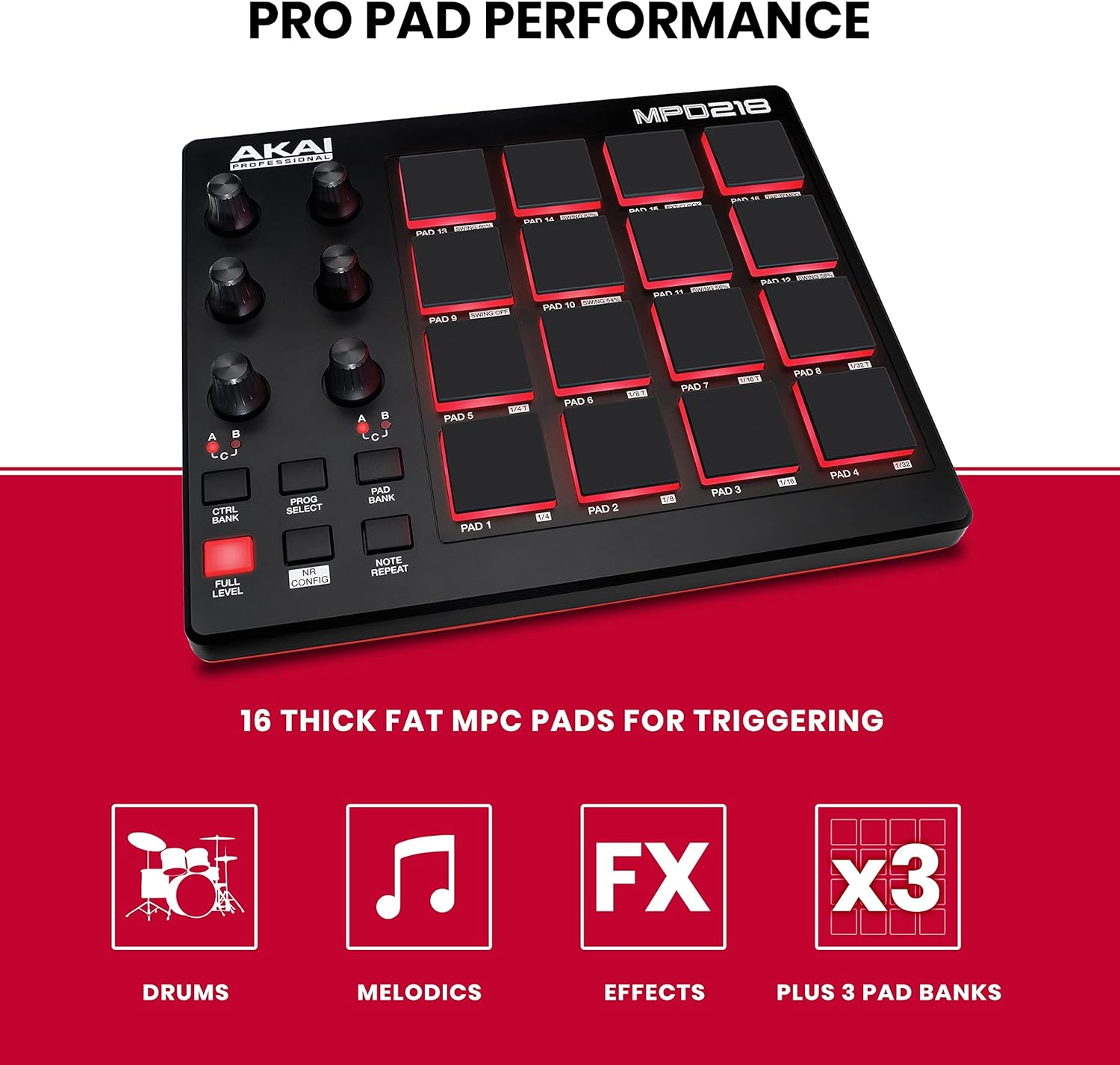
Akai
$115.85
In stock on Amazon
Check price on AmazonScreen Independence and Session Navigation
The presence or absence of onboard screens is the most practically significant hardware difference between these two units. With the Mikro Mk3, navigating the software—browsing samples, checking parameter values, moving between patterns—means looking at your computer monitor and, frequently, using a mouse or trackpad. The single encoder knob can scroll through certain menus, but the workflow remains deeply screen-tethered.
The Maschine Mk3’s two full-color LCD screens display parameter values, sample names, pattern information, and navigation context directly on the hardware. Thomann’s product documentation for the Maschine Mk3 describes this as enabling what Native Instruments calls a “hardware-first” workflow, where producers can navigate the entire software environment without shifting attention to the computer screen. For producers who work standing up, in low-light environments, or simply prefer keeping their eyes on hardware, this is a meaningful quality-of-life difference rather than a luxury feature.
Neither unit is a true standalone device—both require a computer running Maschine software to function as intended—but the Mk3 substantially reduces the friction of that dependency in practice. If screen independence is a priority and you regularly find yourself frustrated by mouse interaction during creative sessions, the Mk3 earns its price premium on this feature alone.
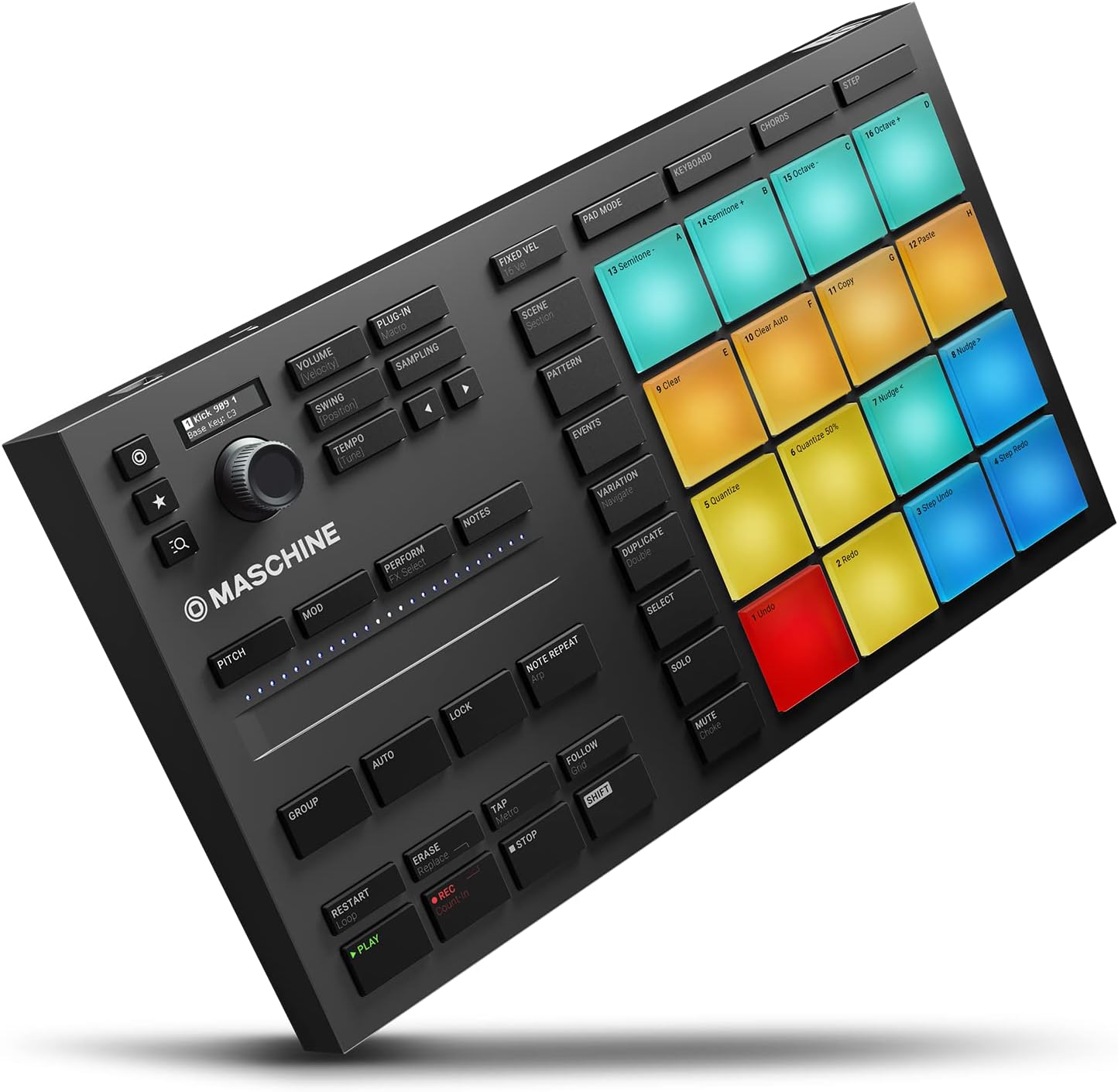
Native
$249.00
In stock on Amazon
Check price on AmazonNKS Plugin Integration and Sound Design Workflow
NKS—Native Kontrol Standard—is a protocol developed by Native Instruments that allows Maschine hardware to communicate directly with compatible third-party plugins, displaying plugin parameters on hardware screens and mapping them to physical encoders. Instruments from developers including Arturia, u-he, and Output have released NKS-compatible versions of their plugins, which means the hardware can display and control those instruments without any manual MIDI mapping.
Sound On Sound’s review of the Maschine Mk3 describes the NKS plugin integration as one of the platform’s genuinely novel contributions, noting that the hardware screens display plugin parameters natively in a way that has converted some computer-averse producers back to software-based workflows. MusicRadar’s Maschine Mk3 coverage similarly highlights NKS as a standout feature for producers who spend significant time tweaking synthesizer parameters and want to do so from hardware rather than a mouse.
On the Mikro Mk3, NKS compatibility exists in the software but without onboard screens or multiple encoders, the hardware benefit is minimal—you are still navigating plugin parameters primarily on your computer screen. The full NKS workflow is effectively a Mk3-exclusive experience in practice.
For producers who invest heavily in third-party instruments, do substantial sound design work, or want to minimize mouse interaction across the full production process—from beat building through sound tweaking—the Mk3’s NKS implementation justifies the higher price point decisively.

Native
$489.00
In stock on Amazon
Check price on AmazonSide-by-Side Specification Comparison
| Feature | Mikro Mk3 | Mk3 |
|---|---|---|
| Pads | 16 velocity/pressure-sensitive | 16 velocity/pressure-sensitive (identical) |
| Onboard screens | None | Two full-color LCDs |
| Encoder knobs | 1 (multi-function) | 8 (parameter-mapped) |
| NKS plugin control from hardware | Not practical | Full hardware screen + encoder control |
| Standalone without computer | No | No |
| Street price (mid-2026) | ~$200 | ~$400–450 |
The Software Dependency Reality Check
Several Mikro Mk3 owners—documented across Sweetwater product reviews and Thomann customer feedback—describe a version of the same experience: they unboxed the unit expecting it to behave like a generic MIDI controller and experienced brief confusion when it didn’t. Maschine hardware is not a generic MIDI controller out of the box. It is purpose-built for the Maschine software environment, and while Native Instruments provides a MIDI mode that enables basic pad triggering in any DAW, the integration is shallow outside the native ecosystem.
The practical implication: if your workflow is firmly built around Ableton’s session view or you produce primarily in Logic, the Maschine software will be a parallel environment you manage alongside your DAW rather than a seamless extension of it. This is not unique to the Mikro Mk3—the Mk3 has the same software dependency—but the Mikro feels that dependency more acutely because its hardware surface offers fewer controls for navigating the Maschine environment independently.
Community consensus, reflected consistently in coverage from Sweetwater and MusicRadar, is nuanced on this point: producers who commit to the Maschine software as their central creative environment describe the dependency as a feature—the hardware-software integration is deep because the system doesn’t try to be all things to all DAWs. But producers who resist making that commitment tend to feel the limitations more sharply over time, particularly on the Mikro.
How the Pads Compare to the Competition
The Akai MPD218 occupies a similar market position and buyers frequently compare the two platforms. MusicRadar’s coverage of Akai’s pad controller lineup notes that MPD218 pads are competent and functional, with some reviewers noting they improve with a break-in period. The Akai LPD8 Mk2, a smaller option in the same ecosystem, is flagged in multiple reviews for requiring deliberate strikes to register reliably, which creates friction for expressive finger drumming.
Maschine pads, by contrast, are described by both MusicRadar and Sound On Sound as immediately expressive—responsive from first use, with a surface texture and sensitivity calibration that rewards subtle dynamics. For finger drumming specifically, the Maschine pad design is consistently rated among the best available at any price point in those publications’ coverage. Crucially, both the Mikro Mk3 and the Mk3 deliver identical pad hardware. Pad feel is therefore not a factor in the upgrade decision between the two Maschine units—it is a reason to choose Maschine over competing platforms.
Frequently Asked Questions
Can the Maschine Mikro Mk3 work as a standard MIDI controller in Ableton without the Maschine software?
In a limited sense, yes. Native Instruments provides a MIDI mode that enables basic pad triggering in any DAW. But pad sensitivity calibration, performance features, and the core Maschine workflow are all lost in this mode. Using a Mikro Mk3 purely as a generic MIDI controller is technically possible but leaves the majority of what you paid for unused.
What does the Maschine Mk3 offer over the Mikro that justifies the price difference?
Two onboard color screens, eight parameter-mapped encoder knobs, and practical NKS plugin control from hardware. For producers who spend significant time sound designing or tweaking instruments, the Mk3’s physical controls eliminate constant mouse interaction. The price delta of roughly $200–250 at mid-2026 street prices is defensible when hardware-centric workflow is a genuine priority.
Does Komplete come included, or is it a separate purchase?
Komplete Select is included with both units at no extra cost. Full Komplete—which adds flagship instruments including Kontakt, Massive X, and the full sample library ecosystem—is a paid upgrade. Most buyers find Komplete Select sufficient for an extended period. Upgrading makes sense when specific instruments in the full library become relevant to a project or style.
Can either unit operate without a computer?
No. Neither the Mikro Mk3 nor the Mk3 is a true standalone device. Both require a computer running Maschine software. The Mk3’s onboard screens and encoders make the computer-dependent workflow feel substantially more hardware-like, but the computer remains in the chain.
Is the Maschine software a full DAW or does it need to run inside another DAW?
Maschine software runs standalone or as a plugin inside a host DAW. It is not a full DAW—it does not handle multitrack audio recording, video sync, or the complete mixing environment of Ableton or Logic—but as a standalone beat-making and pattern-building environment, many producers use it as their primary creative space without opening a traditional DAW.
The Decision Rule
The pads are identical. The software is identical. What you’re actually deciding is how much of the Maschine software you want to reach from hardware—and how much you’re willing to live with your eyes on a computer screen.
If your budget is firm and you’re fully committed to learning the Maschine software as your central beat-making environment, the Mikro Mk3 delivers the essential experience at the lower price. The workflow constraint becomes a creative focus rather than a limitation once you’re inside the ecosystem.
If you spend meaningful time tweaking instruments and sound designing, work with NKS-compatible plugins, or want to minimize mouse interaction across your entire production process, the Mk3’s hardware depth earns its price premium. The two LCD screens and eight encoders change the character of a session for producers who navigate the software heavily—and the NKS integration is effectively unavailable in any practical sense on the Mikro.
Choose based on how your hands actually work during a session. That question answers everything else.