Drum Machine Pedals Firmware and UX Problems: What Owners Wish They Knew Before Buying
A drum machine pedal is exactly what it sounds like: a compact, floor-mounted device that generates drum patterns, designed so a solo performer—a guitarist, bassist, or singer-songwriter—can keep a beat going hands-free while they play. Unlike a full-size drum machine sitting on a desk, these units live on a pedalboard and respond to footswitches. The appeal is obvious. The frustrations, however, are rarely obvious until after the purchase. Tempo that resets every time you change songs. Style options that aren’t explained anywhere in the included manual. Pre-loaded content that may or may not actually be on your unit when it arrives. This article compiles the UX (user experience) and firmware problems that real owners surface repeatedly—so you can make a cleaner decision before you buy, or at least know what you’re walking into.
If you’re already in this market with a unit on the way or a return window ticking, skip ahead to the section that matches your situation. If you’re still deciding, start from the top.
The Tempo Persistence Problem: BeatBuddy’s Most-Reported Live Failure
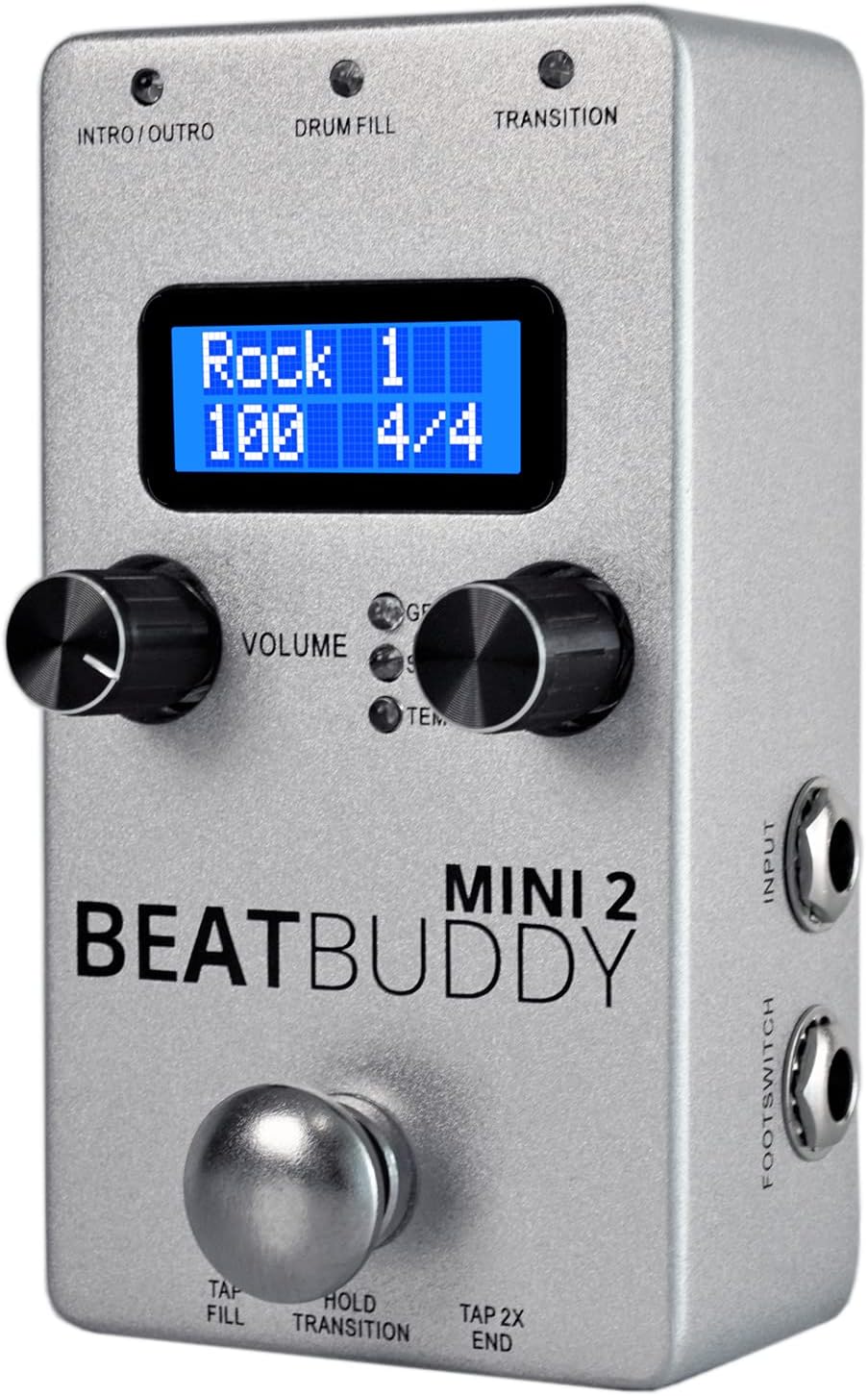
The BeatBuddy line from Singular Sound is among the most recognizable drum pedal products in the world, and for good reason—the concept is solid, the community is large, and firmware support has been ongoing. But the tempo persistence issue is the complaint that surfaces most consistently across review aggregations on Sweetwater and independent forum threads: when you change songs or genres mid-set, the tempo does not carry over. The unit reverts to each song’s stored default.
For a singer-songwriter playing a two-hour gig, this is not a minor inconvenience. It means manually re-dialing tempo at the pedal before every song change, which is exactly the kind of menu-diving that these pedals promise to eliminate.
To be fair, the BeatBuddy does offer a workaround: you can pre-set the tempo for each song in the BeatBuddy Manager software (the companion desktop application) before a gig, saving your preferred BPM alongside the song itself. But this requires set-list prep at the computer level—not the plug-in-and-play experience many buyers expect. Owners across multiple Sweetwater review cycles describe discovering this workflow requirement only after frustration on a real stage.
The decision frame: If your performance workflow demands spontaneous song ordering, or if you frequently adjust tempo on the fly to match a room, the standard BeatBuddy models require meaningful prep discipline. If your setlist is locked in advance and you’re willing to do desktop pre-programming, the limitation becomes manageable.
The BeatBuddy 10th Anniversary edition—the premium, full-size flagship in the current lineup—receives notably different feedback on this front. Synthtopia’s overview of the 10th Anniversary model notes the expanded controls and improved workflow, and one long-form Sweetwater reviewer with a history of returning drum machine pedals called it “finally a drum machine done right.” The implication from community consensus is that the premium model’s hardware and firmware maturity resolves some of the friction that cheaper siblings carry. If your budget allows it, the gap between the entry models and the flagship may be more than aesthetic.
MOOER’s Documentation Gap: Style Options Nobody Explained
The MOOER Micro Drummer II occupies an interesting spot in this market—compact, affordable, and visually clean. Sound On Sound’s overview of the unit acknowledges its competent onboard patterns and decent sound quality for the price bracket. But the documentation complaint that surfaces from owners is specific and recurring: the “style” options on the unit are not explained in the included manual, leaving buyers to discover what each style actually does through pure trial and error, YouTube rabbit holes, or forum searches.
This matters more than it might seem. A drum machine pedal for live performance needs to be understood intuitively under pressure. If you’re three songs into a set and you’re not sure whether “Style 4” is going to give you a shuffle or a straight pattern, you’ve already lost the plot. Multiple owner accounts describe spending more time post-purchase investigating the style matrix than they spent evaluating the pedal before buying it.
The documentation failure is a known issue in budget-tier drum pedal manufacturing broadly—MusicRadar’s buyer guides for live performance tools consistently flag this as a weakness across the category—but the MOOER Micro Drummer II is called out specifically enough that it warrants a direct warning.
The decision frame: If you learn gear by reading manuals, the Micro Drummer II will frustrate you. If you learn by ear and you’re patient enough to spend a few evenings mapping the style options before your first gig, the unit’s core functionality may still meet your needs. There is no shortcut here given the current state of the documentation.
The Missing Content Problem and QC Variance
Two separate hardware-level issues deserve mention before you finalize any purchase decision.
The BeatBuddy 2 pre-loaded content gap. The newest BeatBuddy 2 is marketed with 200 pre-loaded songs. A one-star review on the product’s aggregated listing describes receiving a unit where those songs were absent—either a setup issue, a firmware quirk requiring a specific initialization step, or a fulfillment error. The review doesn’t definitively resolve which. But the pattern is important: it signals that buyer expectations around “pre-loaded” content need to be verified in the box, not assumed. The BeatBuddy ecosystem has historically required some desktop interaction via the BeatBuddy Manager to get premium content libraries onto the SD card properly. If you’re buying this pedal expecting to pull it out of the box and immediately access 200 songs, that may not be the out-of-box experience.
The MOOER GL200 QC rattle. Perfect Circuit’s product notes and aggregated buyer feedback on the MOOER GL200—a looper and drum machine combo unit—include at least one documented case of a unit arriving with something physically rattling internally. A single incident doesn’t indict an entire production run, but QC consistency is a known variable in MOOER’s manufacturing at the price point where these units compete. This is worth noting because a rattling unit arriving from an online retailer immediately puts you in return-window territory.
By the Numbers
| Issue Type | Pedal Affected | Owner-Reported Frequency |
|---|---|---|
| Tempo not persisting across song changes | BeatBuddy (multiple models) | Most commonly cited live complaint |
| Style options undocumented | MOOER Micro Drummer II | Consistent across English-language reviews |
| Pre-loaded content absent on arrival | BeatBuddy 2 | At least one documented incident, mechanism unclear |
| Internal rattle / physical QC | MOOER GL200 | At least one documented incident, single-unit variance possible |
Does Firmware Actually Fix Any of This?
The honest answer is: sometimes, partially, and it depends on whether the problem is hardware design, software logic, or documentation.
Firmware updates from Singular Sound have historically added features to BeatBuddy models over time—the community on their official forum actively petitions for improvements, and the company has a track record of shipping meaningful updates. However, the tempo persistence behavior appears to be an intentional design choice tied to per-song tempo storage rather than a bug awaiting a patch. Firmware cannot easily fix a UX philosophy baked into the architecture.
For MOOER products, firmware update cadence is slower and less community-driven. Sound On Sound’s review coverage of MOOER units generally notes that firmware improvements arrive infrequently for their drum-adjacent pedals. The documentation gap on the Micro Drummer II is unlikely to be patched via firmware—documentation lives outside the firmware cycle entirely and typically requires a manual revision or an official video series.
The cleaner expectation: buy a drum machine pedal for what it does on the day you receive it, not for what a firmware update might eventually fix. If a feature gap is a dealbreaker for a gig next month, it’s a dealbreaker.
Frequently Asked Questions
Does the BeatBuddy Mini 2 let you lock a tempo that persists across song changes?
No—at least not natively as of the most recent firmware versions documented in Sweetwater’s review database. The Mini 2 stores tempo per song, so switching songs resets to that song’s saved BPM. The workaround is to pre-program your desired tempos for each song in the BeatBuddy Manager desktop software before your set. Owners who do this prep report it works reliably; owners who don’t report the same on-stage frustration that affects the larger BeatBuddy models.
Do the BeatBuddy models come with songs pre-loaded, or do you have to download them separately?
This depends on the model and which content library you’re expecting. Base drum patterns and genre loops come on the included SD card. Premium content libraries—including expanded song packs—have historically required downloading from Singular Sound’s platform and transferring via the BeatBuddy Manager software. The BeatBuddy 2’s advertised 200 songs appear to involve some setup steps that at least one buyer did not find intuitive. Verify in the box before your return window closes.
How difficult is the MOOER Micro Drummer II to set up without reading a manual?
More difficult than its size suggests. The hardware itself connects straightforwardly. But the style selection system, which governs what type of pattern the unit generates, is not labeled in plain language anywhere in the included documentation. Owners routinely describe needing internet research to understand what each style selection actually produces. Budget an evening for exploration if you’re setting this up without a manual that explains the style matrix.
Does a firmware update meaningfully improve any of these pedals after purchase?
For BeatBuddy products: sometimes, particularly for bug fixes and occasional feature additions. Singular Sound has an active firmware history. For MOOER products at this price tier: less frequently, and the documentation issues that frustrate buyers are not addressable through firmware. Don’t buy either pedal expecting a firmware update to resolve a core UX complaint within your gig timeline.
What is the return window strategy if a pedal arrives with a hardware defect?
Standard return windows at major US retailers run 30–45 days for musical instruments as of mid-2026. If your unit arrives rattling (as at least one MOOER GL200 unit reportedly did), power it on, document the defect on video before handling it further, and initiate a return or exchange claim immediately—do not wait to see if the rattle resolves. Physical QC defects do not self-correct, and waiting erodes your return window leverage.
Which drum pedal is easiest to use in a live solo performance context without menu diving?
Based on community consensus across MusicRadar’s category reviews and Sweetwater’s aggregated owner feedback, the full-size BeatBuddy 10th Anniversary model earns the strongest endorsement for performers who prioritize workflow smoothness over price. The qualifier is that it requires set-list prep at the desktop level before a gig. Among more affordable options, the MOOER Micro Drummer II can work for performers willing to invest the setup time to learn its style system—but it is not a low-friction live instrument out of the box. If menu-free live performance is your non-negotiable requirement, the premium BeatBuddy tier is where that expectation is most consistently met according to owner accounts.